
Agent vs Automation vs Chatbot: A Practical Guide (And When Not to Use Agents)
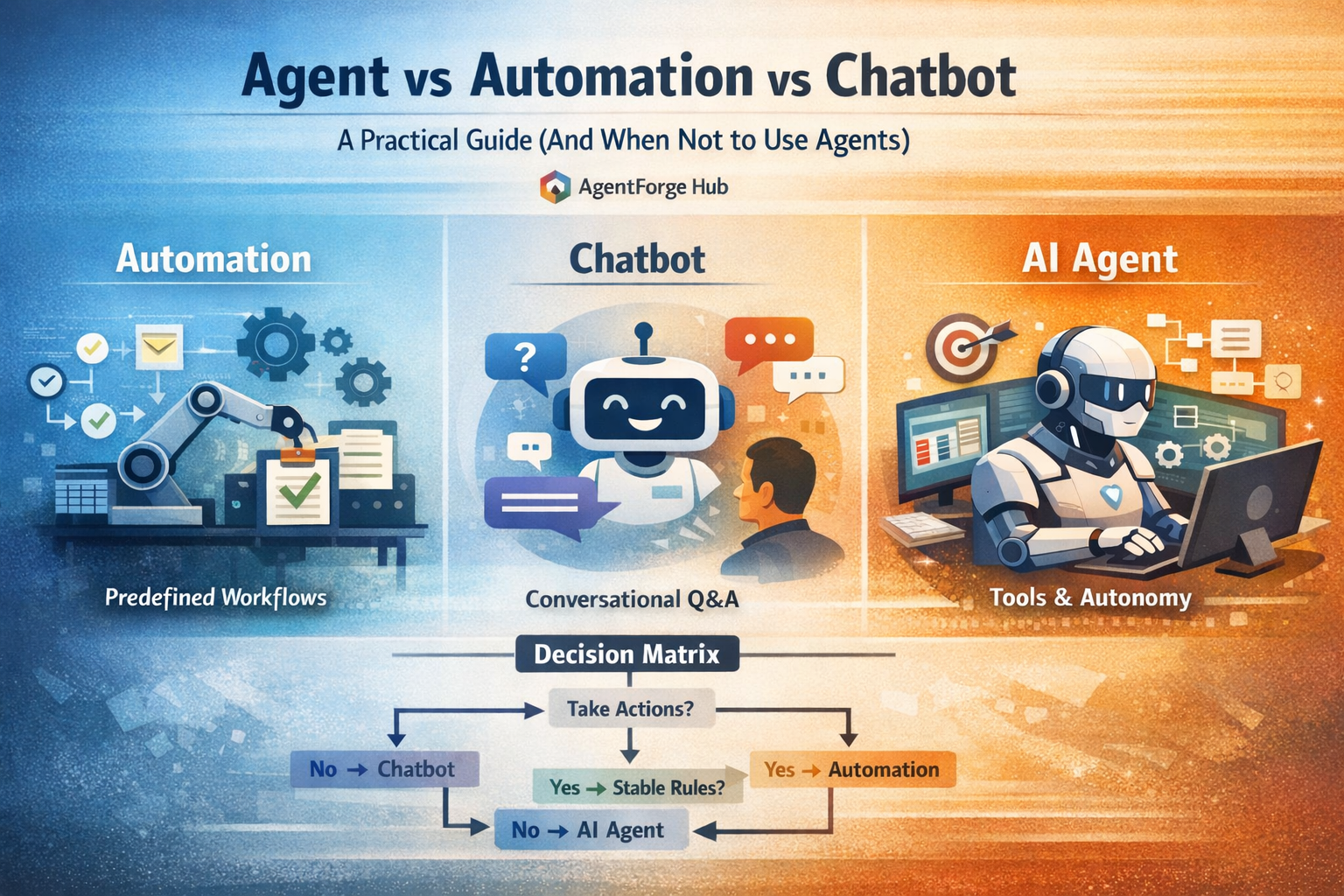
Agent vs Automation vs Chatbot: A Practical Guide (And When Not to Use Agents)
If you build with AI long enough, everything starts getting called an "agent". In practice, most problems are solved faster and cheaper with either (1) classic automation or (2) a chatbot wrapper around a knowledge base. A true agent is the most powerful option -- but it's also the easiest to deploy incorrectly.
This guide gives you a decision framework you can reuse in minutes.
TL;DR (pick the simplest that works)
- Use automation when the workflow is deterministic, inputs are structured, and you want repeatable outcomes.
- Use a chatbot when the job is conversational Q&A or guided intake, and the bot doesn't need to take real actions.
- Use an agent when the job requires planning + tool use + state + multi-step execution under constraints, with clear guardrails and observability.
If you're unsure: start with a chatbot (intake + suggestions), then upgrade to automation (approved actions), and only then graduate to an agent (autonomous execution).
Definitions that actually matter
Automation
Automation is a predefined workflow: triggers, rules, and steps are known upfront.
Examples:
- Zapier workflow: "When a form submission arrives, add a row to Airtable and send a Slack message."
- Cron job: "Every day at 9am, generate a report and email it."
Strengths: predictable, cheap to run, easy to test, easy to audit.
Weaknesses: brittle when inputs vary; struggles with ambiguity; grows complex as branching increases.
Chatbot
A chatbot is a conversational interface that answers questions or guides a user through choices. It may call retrieval (RAG) and light tools, but it typically doesn't own the job end-to-end.
Examples:
- "Ask the docs" support bot.
- A sales qualification bot that collects fields and hands off to a human.
Strengths: reduces friction, handles natural language, good for triage and intake.
Weaknesses: unreliable for multi-step execution; can over-promise; easy to confuse "helpful text" with completed work.
Agent
An agent is a system that can take actions toward a goal by:
- Planning: deciding the next best step
- Tool use: calling APIs, writing tickets, updating CRM, running searches
- State: tracking progress, constraints, and intermediate artifacts
- Iteration: retrying, branching, and adapting when tools fail or new info arrives
Strengths: handles ambiguity and long workflows; composes tools; can run unattended within limits.
Weaknesses: higher risk surface; needs budgets, guardrails, and monitoring; harder to test.
The decision matrix (print this)
| Question | If "yes", prefer... | Why |
|---|---|---|
| Are inputs structured and rules stable? | Automation | Deterministic steps are cheaper and more reliable than LLM reasoning. |
| Is the job mostly Q&A, explanations, or guided intake? | Chatbot | Conversation is the product; actions are optional or human-approved. |
| Does the job require tool calls across multiple systems? | Agent | Tool orchestration + progress tracking is the core value. |
| Do you need strict auditability and repeatability? | Automation (or agent + strict guardrails) | Agents can be audited, but require more instrumentation and controls. |
| Is the cost of a wrong action high (money, compliance, security)? | Automation or chatbot | Avoid autonomy until you can prove safety with constraints and reviews. |
| Does success depend on adapting to novel cases? | Agent | Variation and ambiguity are where agents outperform fixed flows. |
Rule of thumb: if you can write the workflow as a flowchart without "and then it figures it out", you probably don't need an agent.
A simple decision tree
- Does it need to take actions (create tickets, send emails, update records)?
- No -> Chatbot
- Yes -> go to 2
- Can you fully specify the steps with stable rules?
- Yes -> Automation
- No -> go to 3
- Can you constrain actions with permissions, budgets, and review gates?
- No -> Chatbot (intake + recommendations) + human execution
- Yes -> Agent
Three real scenarios (and the right choice)
Scenario 1: "Route support tickets and draft responses"
Goal: reduce time-to-first-response and improve triage quality.
- Best starting point: Chatbot (intake + suggested resolution + confidence score)
- Upgrade path: Automation for simple cases ("password reset", "billing address change")
- When an agent makes sense: only if it can safely use tools (lookup account, check status, prepare a response) and always routes high-risk cases to humans.
Scenario 2: "Turn raw notes into a publish-ready blog post"
Goal: move from idea -> outline -> draft -> SEO pass -> publish.
- If publishing is manual anyway: start with a chatbot writing briefs and drafts.
- If the pipeline is consistent: use automation (templated steps + linting + approvals).
- If you want end-to-end orchestration across tools (Docs, CMS, image generation, internal linking): use an agent with explicit constraints and a mandatory human approval step before publish.
Scenario 3: "Chase invoices and update accounting"
Goal: reduce DSO without annoying customers or causing errors.
- Best choice for most teams: Automation (rules + schedules + deterministic actions)
- Agent only when: payment terms vary, context is in email threads, and you can tightly constrain the allowed actions (draft-only emails, human approval for tone, no direct ledger edits).
When NOT to use an agent
Agents fail in predictable ways. Avoid them when:
- The workflow is already known and stable (a flowchart is enough).
- One mistake is catastrophic (wire transfers, irrevocable deletes, legal commitments).
- You can't log everything (no traces, no tool-call records, no replay means no trust).
- You can't constrain tools (agent has broad permissions or vague tool schemas).
- You don't have a "stop button" (no budgets, no rate limits, no timeout, no kill switch).
If any of those are true, an "agent" is usually just an expensive way to create a new operational risk.
The minimum viable "agent spec" (use this before you build)
Write this spec in one page. If you can't, you're not ready for autonomy.
1) Objective
- Success definition (observable): "Ticket has correct category + priority + draft response under 120 seconds."
- Failure definition: "Draft includes PII, contradicts policy, or triggers the wrong action."
2) Inputs and constraints
- What the agent can assume is true
- What it must ask for (missing fields)
- Time/cost budget (per run, per day)
3) Tools (and permissions)
- List tools the agent can call
- Allowed actions per tool (read vs write)
- Rate limits and scope restrictions (per customer, per project)
4) Safety gates
- "Draft-only" mode vs "execute" mode
- Human approval thresholds (high-risk intents)
- Escalation paths (who gets paged)
5) Observability
- Required logs: prompt version, tool calls, inputs/outputs, final decision, cost, latency
- Replay strategy: ability to reproduce a run with the same inputs
If you want a deeper operational blueprint, pair this with /posts/agent-observability-and-ops and /posts/agent-reliability-drilldown.
Guardrails that make agents usable in production
You can ship an agent without these, but you can't operate it safely.
Constrain tool usage with schemas
Define tools as narrow, typed actions. Avoid "doAnything(action: string)" tools; they invite prompt injection and accidental overreach.
Use budgets like circuit breakers
Enforce caps on:
- Tool calls (count)
- Tokens/cost
- Wall-clock time
- External side effects (writes per run)
Add "human-in-the-loop" at the boundary of risk
A good default is:
- Low-risk: agent executes autonomously
- Medium-risk: agent drafts and proposes actions
- High-risk: agent summarizes and asks for approval
Make runs replayable
If you can't answer "why did it do that?" with logs and a trace, you'll eventually disable the system.
Starter templates (copy/paste)
Template: Chatbot intake + automation actions
Use this when you want reliability but still need language understanding.
- Chatbot collects fields and context (structured JSON output).
- Automation validates fields and applies deterministic rules.
- Human approves exceptions (only when needed).
Template: Agent with a strict execute boundary
Use this when planning and tool orchestration are necessary.
- Agent can: search, summarize, propose plan, call read-only tools.
- Agent cannot: write or send without approval.
- Agent must: output a structured action plan + risk score.
Quick self-check before you ship
- Can you measure success with a number (accuracy, time saved, cost/run, intervention rate)?
- Can you replay a bad run end-to-end from logs?
- Are write actions permissioned and gated?
- Is there a clear "safe mode" that degrades to draft-only?
If you want to build an agent stack that's designed for reliability from day one, start with /posts/build-first-ai-agent-part-1-setup and /posts/simulation-first-testing-for-agents.
Related Tools
Useful tools for this topic
If you want to turn this article into a concrete next step, start with one of these.
Solution Type Quiz
PlanningDecide whether your use case is better served by automation, a chatbot, RAG, a copilot, or a more capable agent.
Open toolArchitecture Recommender
ArchitectureGet a recommended starting architecture based on autonomy, data shape, action model, and team profile.
Open toolPattern Selector
ArchitectureChoose between patterns like RAG assistant, workflow agent, approval-gated agent, or multi-agent setup.
Open toolSubscribe to AgentForge Hub
Get weekly insights, tutorials, and the latest AI agent developments delivered to your inbox.
No spam, ever. Unsubscribe at any time.