
Background Agents and Work Queues: The Calm Architecture Behind Useful Automation
Background Agents and Work Queues: The Calm Architecture Behind Useful Automation
Not every agent needs a chat box. In fact, many of the most valuable agents in 2026 work quietly in the background: reconciling records, drafting summaries, checking contracts, enriching pipelines, or preparing work for humans before anyone asks.
This is the less glamorous side of agentic AI, and often the more profitable one. The architecture behind it is not mystical. It is usually a queue, a scheduler, a worker pool, and a very clear definition of when the agent should stop pretending to be clever and start behaving like dependable infrastructure.
TL;DR
For recurring or asynchronous work, treat agents like queue workers, not chat companions. Use explicit job types, retry rules, deadlines, and handoff states so the system stays calm under load and easy to operate.
Why background agents are having a moment
A lot of first-generation agent products were designed like theater. A dramatic prompt box, a live stream of thoughts, maybe a spinning orb for spiritual effect. Then teams discovered that the real business value often sits in work nobody wants to watch.
Examples:
- nightly account review
- inbox triage
- contract clause extraction
- sales enrichment
- post-meeting follow-up drafting
These tasks do not need an always-on conversation. They need dependable throughput, sensible retries, and outputs that show up where the team already works.
Background agents are popular because they fit how operations actually run: asynchronously, repeatedly, and under messy constraints.
Start with job definitions, not open-ended prompts
Queue-based agents work best when each job type is explicit. Define:
- the trigger
- the expected input shape
- the allowed tools
- the deadline or SLA
- the acceptable outputs
- the failure path
This prevents an all-purpose agent from turning every queued task into a creative writing exercise with API access.
An agent that receives a crm_enrichment_job should know it is expected to gather approved fields, not wander off into strategy recommendations just because the record looked lonely.
Queues create operational clarity
The beauty of queues is that they make work visible. You can answer basic questions fast:
- what is waiting
- what is running
- what is stuck
- what failed
- what missed its SLA
That is much harder to do when the agent is buried inside synchronous request chains or hidden behind a chat interface. Queues force structure onto the workflow, which is exactly what most maturing agent systems need.
They also play nicely with the rest of the stack: schedulers, dead-letter queues, retries, dashboards, and standard incident response habits.
Separate fast jobs from slow jobs
One subtle trap is mixing all background work into the same processing lane. That is how a slow research task starves urgent support follow-ups.
Split jobs by class:
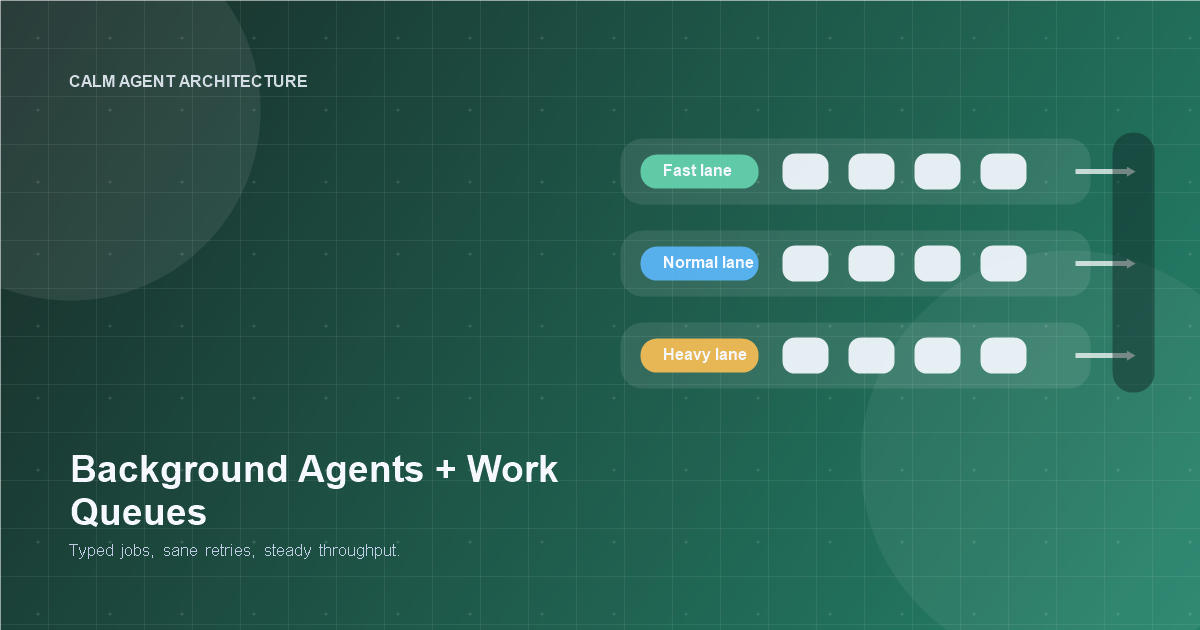
- Fast lane: seconds, lightweight enrichment, low context
- Normal lane: a few minutes, standard task work
- Heavy lane: long-running research, batch analysis, multi-step tool use
This protects responsiveness and makes capacity planning much easier. It also gives you saner cost control, because the expensive jobs are not hiding among the cheap ones.
If spend predictability matters, this pattern pairs well with /posts/agent-cost-control-for-small-teams.
Retry less romantically
Agents are prone to one of the oldest engineering mistakes in history: repeating a bad idea with conviction.
Retries should be specific to failure type:
- transient API issue: retry
- missing required field: do not retry
- policy block: do not retry
- ambiguous source data: escalate or request review
The queue system should know the difference. Blind retries waste money, increase latency, and often create duplicate or contradictory outputs. A dead-letter queue is not a punishment. It is a form of honesty.
Use inbox-style review for ambiguous work
Many background-agent workflows do not need full human-in-the-loop interruption. They need a clean review inbox for edge cases.
Good inbox items include:
- the proposed output
- the short evidence summary
- why it was escalated
- the exact next decision needed
This lets the agent keep moving on routine work while surfacing ambiguous cases in a format humans can clear quickly. It is more efficient than dragging a person into every step, and safer than hoping the model figures out all gray areas by itself.
Idempotency matters more than people expect
Background systems replay. Jobs get retried. Workers restart. Schedulers hiccup. If your agent cannot handle repeated execution safely, you will eventually get duplicate notes, duplicate emails, duplicate status changes, or the digital equivalent of a raccoon loose in the warehouse.
Design for idempotency:
- stable job IDs
- action deduplication keys
- safe upserts instead of blind inserts
- write-once markers for irreversible actions
This is not glamorous engineering, but it is the difference between "automation" and "cleanup project."
Put deadlines on work
Queued jobs should expire when their value expires. A lead-enrichment task that runs three days late may be worse than useless. A compliance reminder that processes after the deadline is comedy with legal consequences.
Every job type should have:
- enqueue timestamp
- latest useful completion time
- escalation rule when overdue
That makes SLAs real. It also helps the agent avoid spending tokens on tasks whose business value has already evaporated.
Background agents still need personality, just not theater
Useful does not have to mean dull. The output can still be conversational, helpful, and sharp. The difference is that the system design should stay calm even if the generated text has flair.
In practice:
- keep the workflow mechanical
- keep the output human
That balance is underrated. Teams often over-index on making the agent feel alive and under-invest in making it behave predictably. Queue-based systems reverse that priority, and usually for the better.
A strong default architecture
For many teams, a solid background-agent stack looks like this:
- Event or schedule creates a typed job.
- Queue stores the job with priority and deadline.
- Worker retrieves the job and loads only the required context.
- Agent executes within tool and budget limits.
- Output lands in the destination system or review inbox.
- Metrics, traces, and failure labels are recorded.
None of this is exotic. That is exactly why it works.
Summary
Background agents are where agentic AI starts to look less like a demo and more like operations. Use queues, typed jobs, sensible retries, deadlines, and inbox-style escalation paths. Let the architecture be boring so the results can be useful.
Sometimes the smartest agent in the building is the one nobody has to babysit.
Related Tools
Useful tools for this topic
If you want to turn this article into a concrete next step, start with one of these.
Solution Type Quiz
PlanningDecide whether your use case is better served by automation, a chatbot, RAG, a copilot, or a more capable agent.
Open toolPattern Selector
ArchitectureChoose between patterns like RAG assistant, workflow agent, approval-gated agent, or multi-agent setup.
Open toolArchitecture Recommender
ArchitectureGet a recommended starting architecture based on autonomy, data shape, action model, and team profile.
Open toolSubscribe to AgentForge Hub
Get weekly insights, tutorials, and the latest AI agent developments delivered to your inbox.
No spam, ever. Unsubscribe at any time.